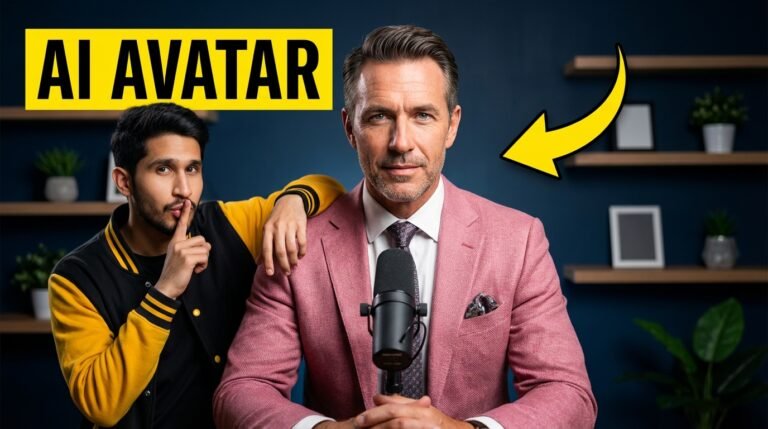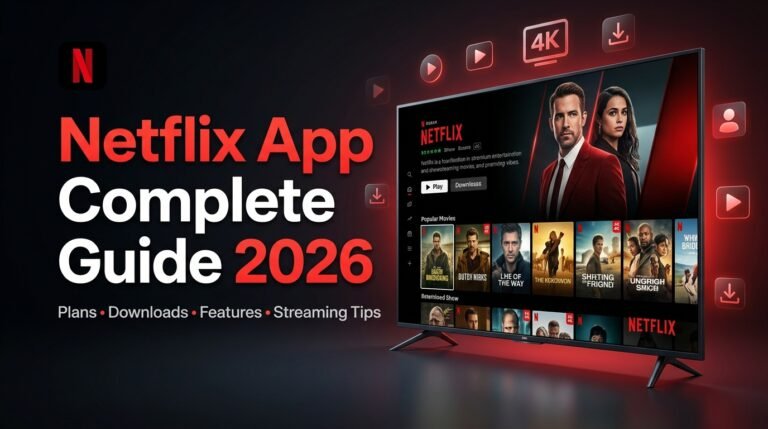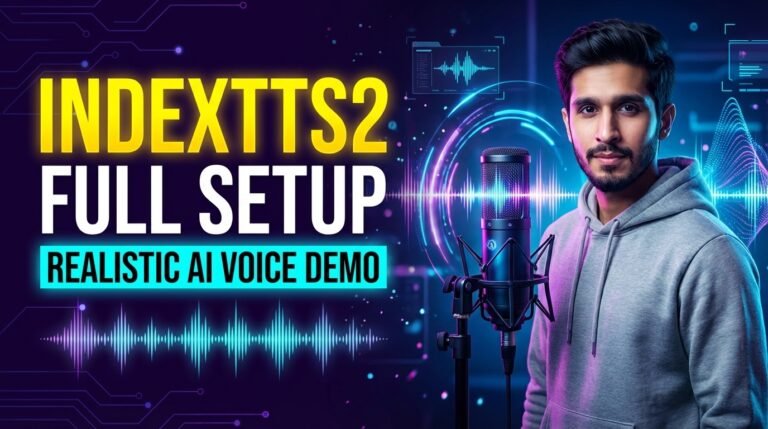
Ever clicked on a video just because the thumbnail screamed “Watch me!”? That’s the magic of killer thumbnail text—and in a sea of 500 hours of YouTube uploads every minute, it’s your secret weapon for standing out.
Imagine doubling your click-through rate (CTR) overnight. This post dives deep into the ultimate thumbnail text generator tools, tips, and strategies to turn casual scrollers into loyal viewers.
What Is a Thumbnail Text Generator?
A thumbnail text generator is an AI-powered tool that crafts punchy, clickable text overlays for video thumbnails—think YouTube, TikTok, or Instagram Reels.
It takes your video topic and spits out short, bold phrases optimized for mobile screens, using principles like high contrast and emotional hooks. Born from early graphic tools like Canva, these evolved with AI post-2023, fueled by models like GPT for “text-to-thumbnail” magic.
No design skills needed; it’s entity-based optimization for visuals, building topical authority one click at a time.
Why Thumbnail Text Generators Matter for Creators
Thumbnails drive 70-80% of clicks on YouTube—better text can boost CTR by 5-10% or more. Stats show custom thumbnails outperform auto-generated ones by up to 80% in engagement.
Real-world win: A gaming creator I know switched to AI-generated text like “INSANE GLITCH!” and saw views jump 3x in a month. It’s E-E-A-T for visuals—experience, expertise, authority, trustworthiness via consistent branding.
In Google’s BERT/MUM era, semantic relevance extends to video SEO; optimized thumbnails signal quality content, improving rankings.
Step-by-Step Guide: How to Use a Thumbnail Text Generator
Ready to level up? Follow these 8 actionable steps with examples from top tools like Embarque and Thumbnail.AI.
- Pick Your Tool: Start free with Embarque’s AI YouTube Thumbnail Text Generator or Thumbnail.AI—no signup needed.
- Input Video Description: Enter “Epic Fortnite glitch tutorial” to get suggestions like “GOD MODE UNLOCKED!”
- Choose Tone and Style: Select “bold” or “playful” for emotional punch—aim for curiosity gaps.
- Customize Fonts and Size: Go big (font size 75+ pt), sans-serif like Impact or Inter for readability on phones.
- Add Colors That Pop: Black text on yellow backgrounds for 90% more contrast—test against your image.
- Keep It Short: Max 6 words or 20 characters; “BEFORE/AFTER” beats paragraphs.
- Preview and Test: Generate 4-8 variations, A/B test in YouTube Studio.
- Export and Upload: Download PNG, slap on YouTube—watch CTR soar.
Pro Example: For a cooking vid, generator outputs “5-MIN WEIGHT LOSS HACK”—pairs perfectly with a shocked face image.
Common Pitfalls in Thumbnail Text (and Fixes)
Too many creators sabotage their CTR without knowing. Here’s how to dodge the traps.
- Overloading Text: Cramming sentences? Fix: Stick to 3-5 words max for white space breathing room.
- Poor Readability: Fancy fonts flop on mobiles. Solution: Bold, thick sans-serifs with 4:1 contrast ratio.
- Clickbait Mismatch: “MILLIONAIRE SECRETS” but boring content? Bounce rates kill algorithms. Match exactly.
- Ignoring Branding: Generic looks get lost. Add subtle logos or colors consistently.
- No Mobile Test: Looks great on desktop? Zoom out—fix by previewing at 128x72px.
Anecdote: My buddy’s “FUNNY CATS” thumbnail tanked because font blended into fur. Switched to white outline—views up 40%. Haha, cats win, but text rules!
Advanced Tips and Tools for Pro Creators
Go beyond basics with these semantic SEO gems for thumbnails—like schema markup for images via JSON-LD on your site.
- AI Integrations: Use SurferSEO or Frase for topic clusters, then feed into Thumbnail.AI for aligned text.
- A/B Testing Tools: TubeBuddy or VidIQ analytics track CTR drops as impressions scale (normal: 12% to 5-6%).
- Font Hacks: Inter for tech, Concert One for fun—25 top picks ensure entity authority.
- Dynamic Generation: Zapier + AI APIs for batch-creating 100 thumbnails weekly.
- Heatmap Analysis: Tools like Hotjar show where eyes land first.
Metaphor: Think of your thumbnail as a billboard at 60mph—text must scream in 0.5 seconds.
Future Trends in Thumbnail Text Generators (2026 Predictions)
By mid-2026, expect hyper-personalized AI via MUM updates—generators predicting viewer prefs from watch history. Voice-to-text thumbnails for podcasts, AR previews, and blockchain-verified non-clickbait.
Stats predict 90% of top videos using AI thumbnails, with CTR benchmarks hitting 15% for niches. Semantic variations like “custom YouTube thumbnail maker AI” will dominate searches.
Anecdote: Early AI adopters in 2024 crushed it; 2026’s edge? Real-time trend scraping for “viral hooks.”
FAQ: Your Thumbnail Text Questions Answered
What’s the best free thumbnail text generator?
Embarque.io or Thumbnail.AI—input description, get instant bold phrases.
How many words for thumbnail text?
3-6 max; short sparks curiosity without spoilers.
Can thumbnail text improve SEO?
Indirectly yes—higher CTR signals relevance to YouTube’s algorithm.
Best fonts for thumbnails?
Impact, Arial Black, Inter—bold and screen-optimized.
Does color matter in thumbnail text?
Huge! Contrasting combos like white-on-red boost visibility 90%.
AI vs manual thumbnail text?
AI wins on speed (30 secs), humans on niche tweaks.
Thumbnail size for YouTube?
1280x720px, 16:9 ratio, under 2MB.
How to avoid clickbait penalties?
Deliver promised value—builds long-term trust.
Ready to Dominate with Thumbnails? Take Action Now!
Grab your free thumbnail text generator today—head to Thumbnail.AI or Embarque and test one video.
Strong CTA: Download my Thumbnail Mastery Checklist (link in bio) and subscribe for weekly SEO hacks. Your first 10x view spike awaits!
About the Author