
YouTube thumbnails serve as the first impression for any video content on the platform. These eye-catching images determine whether viewers click on a video or scroll past it. Content creators, marketers, and researchers frequently need to download YouTube thumbnails for analysis, inspiration, or educational purposes. This comprehensive guide explores the best methods and tools to download YouTube video thumbnails without spending a penny.
YouTube Thumbnail Structure
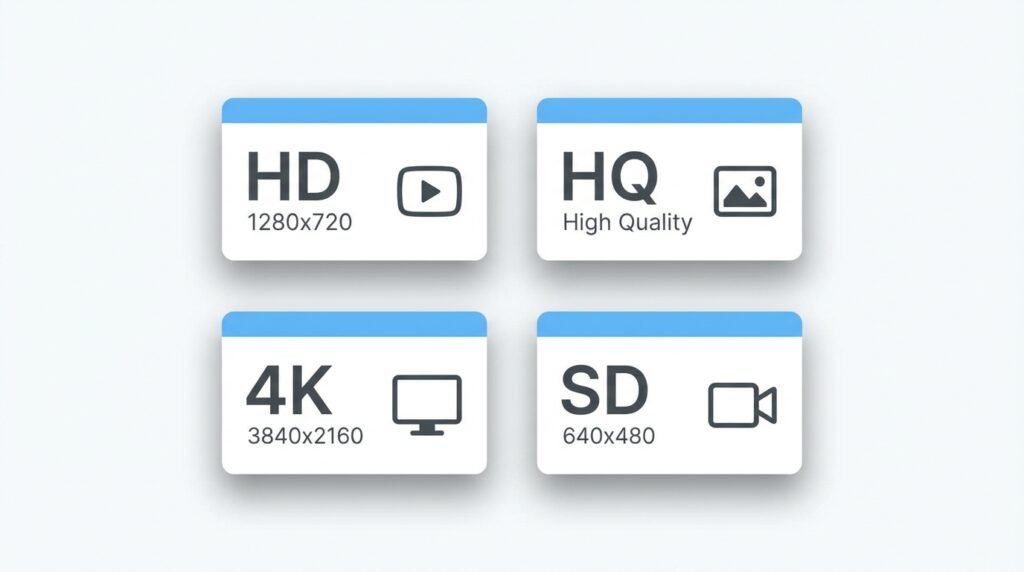
YouTube automatically generates multiple thumbnail sizes for every uploaded video. The platform creates several versions, including default thumbnails extracted from the video and custom thumbnails uploaded by creators. Each YouTube video thumbnail exists in various resolutions: SD (standard definition), HQ (high quality), MQ (medium quality), and maxresdefault (maximum resolution).
The thumbnail URL structure follows a consistent pattern that makes extraction straightforward. Every video’s thumbnail links to YouTube’s image servers using the unique video ID found in the URL. This standardized system enables thumbnail downloader tools to fetch images quickly and reliably.
Why Download YouTube Thumbnails
Designers and marketers analyze successful thumbnails to understand what captures audience attention. Studying high-performing thumbnails reveals patterns in color schemes, text placement, facial expressions, and composition techniques. This research helps creators develop more effective visual strategies for their channels.
Content creators often need to save thumbnails from their competitors’ videos to study market trends. Educational institutions use downloaded thumbnails for teaching digital marketing and content creation courses. Researchers collect thumbnails to analyze visual communication trends across different niches and demographics.
Archiving purposes represent another valid reason to download thumbnail images. Channels may delete videos or change thumbnails over time, making preservation important for documentation and historical reference. Having offline copies ensures access regardless of whether the original video remains available.
Method 1: Using Online Thumbnail Downloader Websites
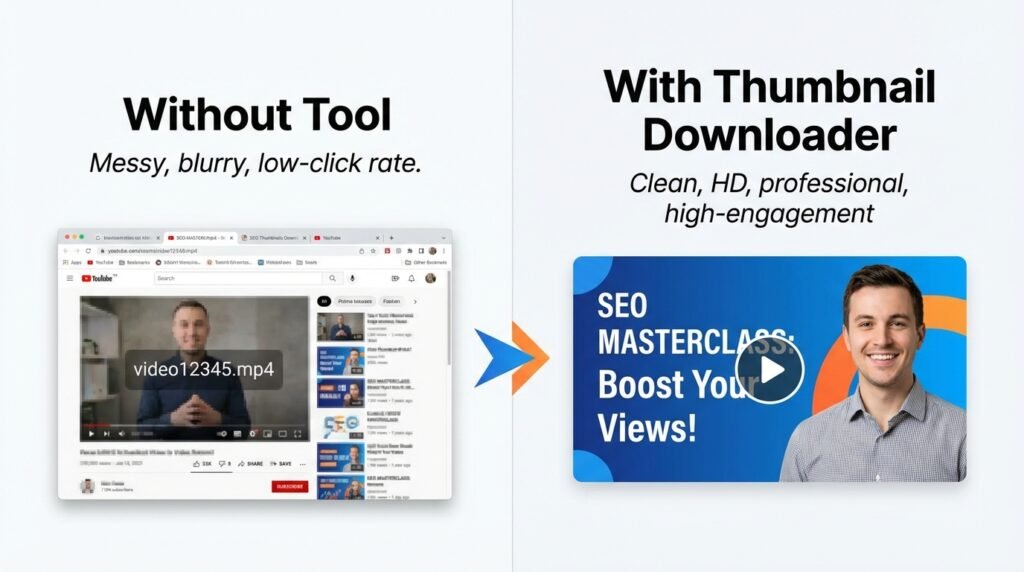
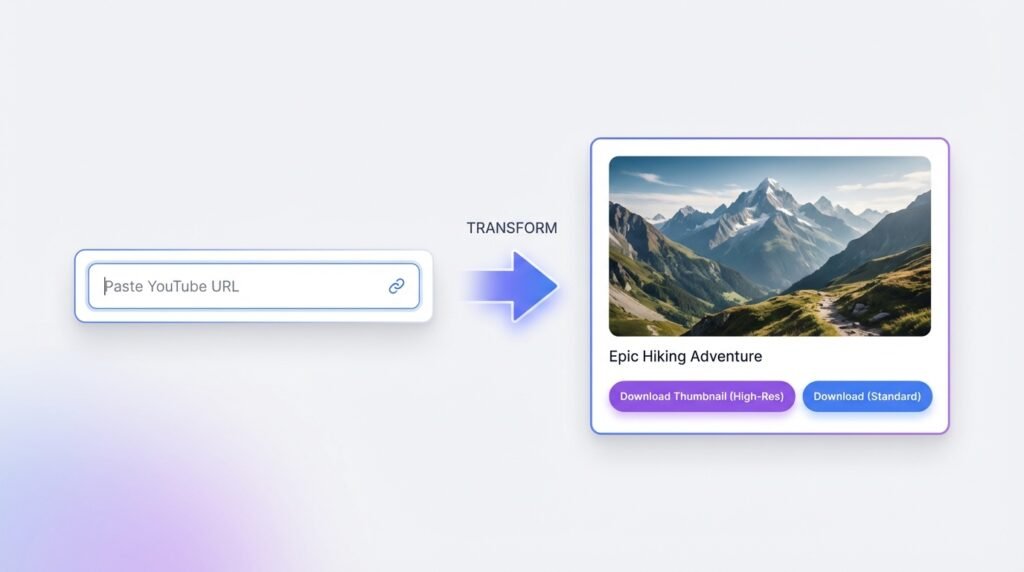
Online thumbnail downloaders provide the simplest solution for obtaining YouTube images. These web-based tools require no installation and work directly in browsers. Users simply paste the YouTube video URL into the designated field and click the download button.
The thumbnail extraction process takes seconds. The tool parses the video URL, identifies the unique video identifier, and retrieves all available thumbnail versions from YouTube’s servers. Most free thumbnail downloaders display multiple resolution options, allowing users to select their preferred quality.
Popular thumbnail download websites offer additional features beyond basic downloading. Some platforms provide batch download capabilities, enabling users to save thumbnails from multiple videos simultaneously. Others include thumbnail editors that allow quick modifications before downloading.
The user interface on these platforms typically remains straightforward. A search box accepts the video link, and thumbnail previews appear within moments. Users click their desired resolution, and the browser downloads the image file immediately. This hassle-free method works on desktop computers, tablets, and smartphones alike.
Method 2: Manual URL Method
Tech-savvy users can manually construct thumbnail URLs without using dedicated tools. This method requires understanding YouTube's image URL format. Every thumbnail follows the pattern: https://img.youtube.com/vi/[VIDEO_ID]/maxresdefault.jpg.
The video ID extraction process involves copying the alphanumeric string after "v=" in the video URL. For example, if the video URL reads youtube.com/watch?v=ABC123XYZ, the video ID equals "ABC123XYZ". Users then insert this ID into the thumbnail URL template.
Different quality variants use different filename suffixes. The maxresdefault option provides the highest resolution, typically 1280x720 pixels. Alternative options include sddefault (640x480), hqdefault (480x360), and mqdefault (320x180). Users select based on their quality requirements and file size constraints.
This direct URL method bypasses intermediary services entirely. Users paste the constructed URL into their browser's address bar, and the image displays immediately. Right-clicking the image and selecting "Save Image As" completes the download process. This approach offers maximum speed and eliminates dependency on third-party services.
Method 3: Browser Extensions for Chrome and Firefox
Browser extensions streamline the thumbnail downloading workflow for frequent users. These add-ons integrate directly into the YouTube interface, adding download buttons beneath video players. The seamless integration eliminates the need to copy URLs or navigate to separate websites.
After installation, the extension icon appears in the browser toolbar. When users visit any YouTube video, the extension detects the page and activates its functionality. A download button materializes near the video title or within the context menu accessed by right-clicking the video.
The one-click download feature saves considerable time for users who regularly collect thumbnails. Extensions automatically detect the highest quality version available and initiate downloads with minimal user input. Some extensions offer customization options, allowing users to set default quality preferences and download locations.
Privacy-conscious users should research extensions thoroughly before installation. Reputable extensions maintain transparent privacy policies and request only necessary permissions. Reading user reviews and checking developer credentials helps identify trustworthy options among the numerous thumbnail downloader extensions available.
Method 4: Mobile Apps for Thumbnail Downloads
Smartphone users can download YouTube thumbnails using dedicated mobile applications. Both Android and iOS platforms host apps specifically designed for thumbnail extraction. These applications replicate the functionality of desktop tools in mobile-friendly interfaces.
The app-based approach suits users who primarily consume YouTube content on mobile devices. After installing a thumbnail downloader app, users share video URLs directly from the YouTube mobile app. The downloader app receives the shared link and processes it automatically.
Most mobile thumbnail apps save downloaded images to the device's photo gallery. This integration enables easy access for sharing on social media, editing in photo apps, or uploading to cloud storage. The offline availability of downloaded thumbnails proves valuable when internet connectivity becomes unavailable.
Users should verify that apps come from legitimate developers before installation. Checking app permissions ensures the software doesn't request unnecessary access to device features. Reading recent reviews provides insights into current functionality and any potential issues with specific device models or operating system versions.
Understanding Thumbnail Resolution Options
Maximum resolution thumbnails offer the best quality but may not exist for older videos. When creators upload videos before YouTube implemented HD thumbnail support, only lower-resolution options remain available. The maxresdefault version delivers 1280x720 pixels when available, providing sharp, detailed images suitable for professional use.
Standard definition options serve perfectly for casual purposes or when file size matters. The hqdefault variant (480x360) balances quality and file size effectively. This resolution works well for blog posts, social media previews, and situations where ultra-high quality isn't essential.
Some videos feature custom thumbnails that differ from auto-generated frames. Content creators upload these custom images to present their videos more attractively. Thumbnail downloaders retrieve whichever image YouTube currently displays, whether custom or auto-generated.
The aspect ratio remains consistent across YouTube thumbnails at 16:9. This standardization ensures thumbnails display properly across different devices and screen sizes. Downloaded images maintain this ratio, making them compatible with various platforms and presentation formats.
Legal and Ethical Considerations
Downloading thumbnails for personal reference, education, or inspiration falls within acceptable use. However, users must respect copyright protections on images. Thumbnails often contain copyrighted graphics, logos, or celebrity likenesses that require permission for commercial use.
Fair use principles may apply when using thumbnails for criticism, commentary, news reporting, teaching, or research. The specific application determines whether usage qualifies as fair use. Consulting legal expertise proves wise when planning commercial applications of downloaded thumbnails.
Attribution practices demonstrate respect for original creators. When sharing or publishing downloaded thumbnails, crediting the source video and creator maintains ethical standards. Providing links back to original videos benefits both the original creator and audiences seeking the full content.
Thumbnail modification without permission may violate creator rights. Altering downloaded images to misrepresent content or create misleading associations raises both legal and ethical concerns. Users should employ downloaded thumbnails responsibly and honestly.
Best Practices for Thumbnail Downloads
Organizing downloaded thumbnails prevents digital clutter. Creating folders categorized by topic, channel, or date helps maintain order. Implementing a consistent naming convention that includes the video title and download date simplifies future retrieval.
Quality verification ensures downloaded images meet requirements before use. Opening downloaded files confirms the correct resolution and checks for any corruption or errors. Comparing multiple quality options helps identify the best available version for each specific video.
Backup strategies protect collected thumbnail libraries from data loss. Storing copies on cloud services or external drives safeguards against device failures. Regular backups become increasingly important as thumbnail collections grow larger and more valuable.
Respecting download frequency when using online tools prevents server overload and access restrictions. Excessive rapid requests may trigger rate limiting or temporary blocks. Spacing out downloads and using batch features responsibly maintains access to these free services.

Conclusion
YouTube thumbnail downloaders provide valuable tools for content creators, marketers, educators, and researchers. Multiple methods exist for downloading YouTube thumbnails free, from simple online tools to browser extensions and mobile apps. Each approach offers distinct advantages suited to different use cases and technical comfort levels.
The ease of thumbnail extraction enables efficient research and content development workflows. Understanding available resolution options and download methods empowers users to select optimal approaches for their specific needs. Maintaining awareness of legal and ethical considerations ensures responsible use of downloaded materials.
Whether analyzing competitor strategies, building educational resources, or preserving digital content, free thumbnail downloaders deliver essential functionality without financial barriers. The accessibility of these tools democratizes access to visual research materials, supporting creativity and learning across the digital landscape.
About the Author